Winter '27 API v68: A Release Readiness Guide Without Preview Surprises
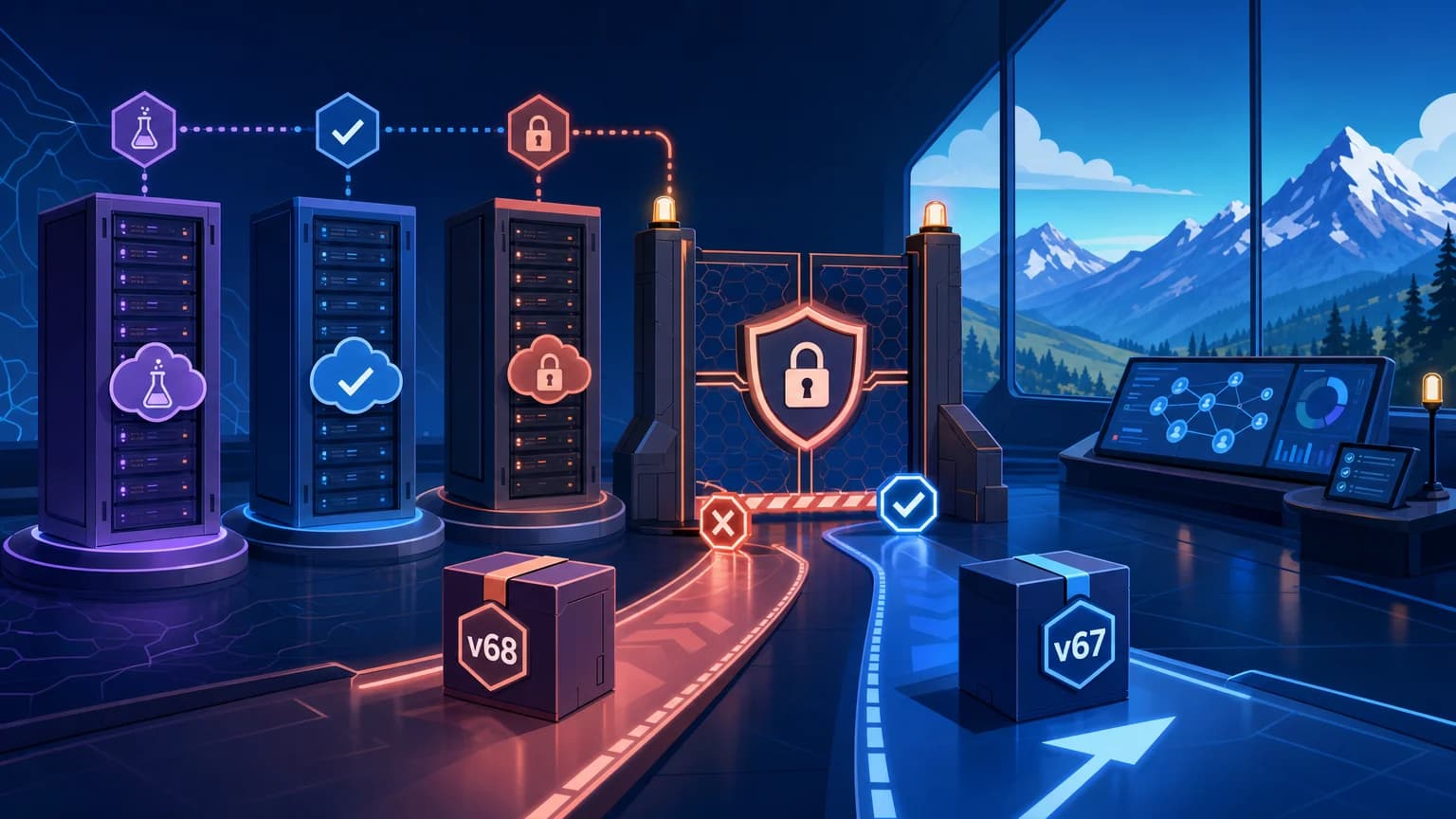
Winter ’27 introduces Salesforce Platform API version 68.0, but that does not mean every org can safely use it on the same day.
As of September 23, 2026, Winter ’27 is in preview and rolling production deployment. Salesforce lists production release weekends of September 4, October 2, and October 9, while the release-wide general availability date is October 12, 2026. Your target org’s instance, upgrade window, licenses, permissions, and enabled features still determine what is actually available.
That distinction is the foundation of salesforce winter 27 api v68 release readiness. A release note can document a capability before your production org supports it. A sandbox can accept v68 metadata while another environment remains on v67. An announcement can describe a pilot alongside generally available functionality without making the pilot production-ready for every customer.
The practical rule is simple:
Treat API availability as an environment fact to verify, not a calendar assumption.
Salesforce’s Winter ’27 release countdown provides the deployment windows, while the Winter ’27 product release announcement lists October 12, 2026, as the overall general availability date. The Winter ’27 Release Notes remain the source of truth for individual platform changes and their documented status.
What API v68 Availability Actually Means
API v68 belongs to Winter ’27. The release notes identify new and changed API resources for version 68.0, including changes across REST, Metadata, Tooling, Connect REST, GraphQL, and other API families.
That release mapping does not create one universal activation moment.
Preview
A preview environment lets teams evaluate Winter ’27 behavior before the release is broadly available. This can include:
- A pre-release Developer Edition org
- A sandbox upgraded to the Winter ’27 preview
- Release notes describing functionality before production rollout is complete
Preview is appropriate for exploration, compatibility testing, and regression discovery. It is not proof that every production org can accept a v68 deployment.
Rollout
Rollout means Salesforce is deploying the release across instances over multiple windows. According to the official countdown, Winter ’27 production deployments occur on September 4, October 2, and October 9.
During this period, two production orgs owned by the same enterprise can temporarily be on different releases. A deployment pipeline that assumes all targets support v68 can therefore succeed in one org and fail in another.
General availability
Salesforce lists October 12, 2026, as the overall Winter ’27 general availability date. This is the release-wide milestone, not a substitute for checking a specific org.
Even after that date, verify:
- The org’s instance has completed its upgrade
- The required feature is enabled
- The feature is available for the org’s edition and licenses
- Required permissions are assigned
- The release note does not identify the feature as pilot, beta, or otherwise restricted
Pilot and beta
Pilot and beta describe capability status, not platform API availability.
For example, the Winter ’27 announcement identifies Agentforce Marketing Goals Agent as having a pilot program. That wording must not be converted into a general availability claim. The same discipline applies throughout the release: a capability can appear in Winter ’27 material while remaining limited to selected participants or carrying additional terms.
API v68 being available in an org does not automatically make every v68-documented feature generally available there.
Use Runtime Discovery Instead of Date-Based Assumptions
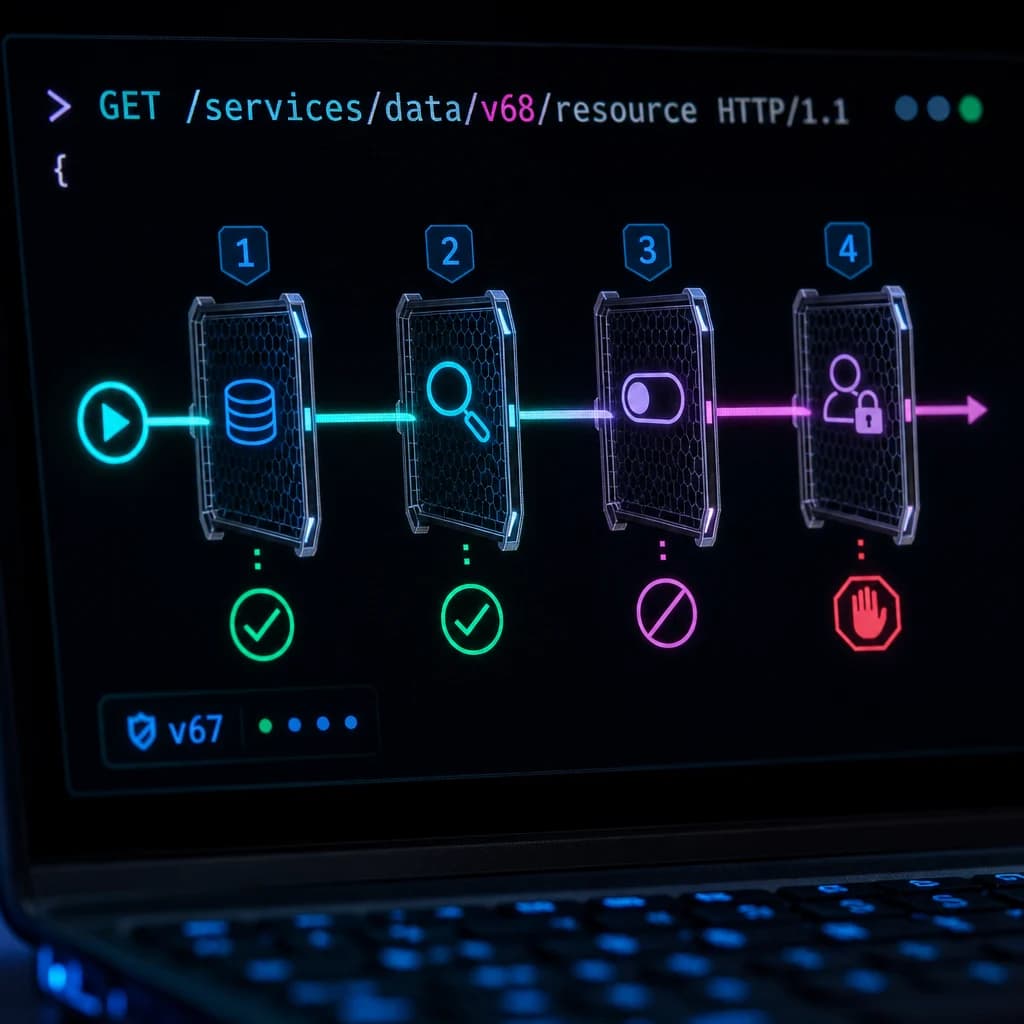
Salesforce exposes a Versions resource at /services/data/. It returns the REST API versions available on the responding instance, and Salesforce documents that this discovery request does not require authentication in the REST API Versions resource guide.
This gives a pipeline a direct readiness check:
- Query the exact target hostname.
- Confirm that version
68.0appears. - Authenticate using the intended integration identity.
- Probe the required v68 resources.
- Run contract tests before enabling production traffic.
Do not test an unrelated preview org and infer that production is ready. Discovery must run against every deployment target.
Salesforce also supports /services/data/latest, but I would not use that alias for a production integration that requires deterministic behavior. It is useful for discovery tools and controlled utilities. Long-lived clients should normally pin a tested version so that a platform release does not silently change the API contract they request.
A Read-Only API v68 Readiness Probe
The following Python script checks whether the target org exposes v68, compares the v67 and v68 REST resource catalogs, and retrieves the org limits document through v68.
It uses only Python’s standard library. Supply a My Domain URL and OAuth access token through environment variables; do not place credentials in source control or command history.
#!/usr/bin/env python3

import json
import os
import sys
import urllib.error
import urllib.parse
import urllib.request

BASELINE_VERSION = "67.0"
CANDIDATE_VERSION = "68.0"
CLIENT_NAME = "winter27-readiness-probe"


def required_env(name):
    value = os.environ.get(name, "").strip()
    if not value:
        raise RuntimeError(f"Missing required environment variable: {name}")
    return value


def normalize_instance_url(value):
    parsed = urllib.parse.urlparse(value)

    if parsed.scheme != "https" or not parsed.netloc:
        raise RuntimeError(
            "SF_INSTANCE_URL must be an HTTPS Salesforce instance or My Domain URL."
        )

    return f"{parsed.scheme}://{parsed.netloc}"


def get_json(url, access_token=None):
    headers = {
        "Accept": "application/json",
        "Sforce-Call-Options": f"client={CLIENT_NAME}",
        "User-Agent": CLIENT_NAME,
    }

    if access_token:
        headers["Authorization"] = f"Bearer {access_token}"

    request = urllib.request.Request(url, headers=headers, method="GET")

    try:
        with urllib.request.urlopen(request, timeout=30) as response:
            return json.loads(response.read().decode("utf-8"))
    except urllib.error.HTTPError as error:
        body = error.read().decode("utf-8", errors="replace")
        raise RuntimeError(
            f"GET {url} failed with HTTP {error.code}: {body[:500]}"
        ) from error
    except urllib.error.URLError as error:
        raise RuntimeError(f"GET {url} failed: {error.reason}") from error


def resource_catalog(instance_url, version, token):
    endpoint = f"{instance_url}/services/data/v{version}/"
    payload = get_json(endpoint, token)

    if not isinstance(payload, dict):
        raise RuntimeError(f"Unexpected resource catalog for API v{version}")

    return payload


def main():
    instance_url = normalize_instance_url(required_env("SF_INSTANCE_URL"))
    access_token = required_env("SF_ACCESS_TOKEN")

    versions = get_json(f"{instance_url}/services/data/")
    available_versions = {
        item.get("version")
        for item in versions
        if isinstance(item, dict)
    }

    report = {
        "instance": instance_url,
        "candidateVersion": CANDIDATE_VERSION,
        "candidateDiscovered": CANDIDATE_VERSION in available_versions,
        "availableVersionCount": len(available_versions),
    }

    if CANDIDATE_VERSION not in available_versions:
        report["decision"] = "BLOCK"
        report["reason"] = (
            f"Target instance does not advertise API v{CANDIDATE_VERSION}."
        )
        print(json.dumps(report, indent=2, sort_keys=True))
        return 2

    baseline = resource_catalog(
        instance_url, BASELINE_VERSION, access_token
    )
    candidate = resource_catalog(
        instance_url, CANDIDATE_VERSION, access_token
    )

    baseline_resources = set(baseline.keys())
    candidate_resources = set(candidate.keys())

    limits = get_json(
        f"{instance_url}/services/data/v{CANDIDATE_VERSION}/limits",
        access_token,
    )

    report.update(
        {
            "decision": "READY_FOR_CONTRACT_TESTS",
            "addedTopLevelResources": sorted(
                candidate_resources - baseline_resources
            ),
            "removedTopLevelResources": sorted(
                baseline_resources - candidate_resources
            ),
            "dailyApiRequests": limits.get("DailyApiRequests"),
        }
    )

    print(json.dumps(report, indent=2, sort_keys=True))
    return 0


if __name__ == "__main__":
    try:
        sys.exit(main())
    except RuntimeError as error:
        print(
            json.dumps(
                {"decision": "ERROR", "message": str(error)},
                indent=2,
            ),
            file=sys.stderr,
        )
        sys.exit(1)
Run it with a short-lived token issued to a dedicated test identity:
export SF_INSTANCE_URL="https://your-domain.my.salesforce.com"
export SF_ACCESS_TOKEN="REDACTED"
python3 winter27_readiness.py
The probe deliberately stops at discovery and read-only requests. It does not prove that a business transaction works. It establishes that the target instance advertises v68 and that the supplied identity can reach selected v68 resources.
Salesforce recommends OAuth authorization for API clients through external client apps or existing connected apps, as described in the REST API OAuth authorization guide. Use least privilege, separate integration identities, and credentials managed by your deployment platform rather than local environment files in shared workspaces.
The Sforce-Call-Options client name also improves traceability. Salesforce recommends assigning identifiable clients and dedicated integration users when investigating API usage and version dependencies in its API version retirement guidance.
Build a Compatibility Inventory Before Changing Versions
API readiness is broader than searching a repository for v67.0.
Inventory at least five dependency types.
External API clients
Search integration code, middleware, API gateways, scheduled scripts, and configuration stores for versioned endpoints such as:
/services/data/v67.0/
/services/Soap/u/67.0
/services/async/67.0/
Record the owning team, authentication mechanism, connected or external client app, integration user, expected volume, and rollback method.
Salesforce metadata
Review the project API version and component-level versions, including Apex classes, triggers, Aura bundles, Lightning web components, and package metadata.
Do not mass-update every component to v68 merely because the target org supports it. A version increase can change compilation behavior, validation, or the platform semantics applied to that component. Upgrade in a branch, deploy to a v68 preview environment, and run focused tests.
Generated contracts
SOAP clients may depend on generated WSDL classes. REST clients can depend on generated OpenAPI models, rigid JSON schemas, or enum values.
Test whether the client tolerates:
- New response fields
- Previously absent values becoming populated
- New enum values
- Changed validation behavior
- Different error details
- Pagination and query-plan differences
A client should generally ignore unknown response fields unless strict validation is an explicit requirement.
Managed packages and vendor integrations
You may not control the API version used by an installed package or third-party platform. Ask the provider for documented Winter ’27 compatibility rather than attempting to alter packaged metadata.
Keep vendor readiness separate from your own deployment approval. “Vendor testing in progress” is a dependency, not a passed test.
Release Updates and feature activation
Review Release Updates in Setup independently from API changes. Some platform behavior changes require action, while feature availability can depend on configuration, permissions, licenses, or staged activation.
A successful request to /services/data/v68.0/ proves none of those additional conditions.
Choose an Upgrade Strategy Deliberately
| Strategy | Use when | Benefit | Primary risk | Recommended decision |
|---|---|---|---|---|
| Keep production clients on v67 | No v68 feature is required immediately | Lowest short-term change risk | Defers compatibility work | Valid during rollout if v67 meets requirements |
| Upgrade selected clients to v68 | A tested v68 capability has clear value | Limits blast radius | Mixed-version operations require tracking | Preferred incremental path |
| Upgrade all clients together | Portfolio is small and strongly standardized | Simpler version policy after cutover | Large shared failure domain | Use only with complete regression coverage |
Use /services/data/latest | A controlled discovery utility must follow the newest release | Avoids hardcoded discovery version | Behavior can change after a release | Avoid for critical transaction clients |
| Dual-run v67 and v68 | High-risk flows need output comparison | Strong evidence before cutover | Additional API consumption and engineering cost | Appropriate for selected enterprise transactions |
The default should not be “upgrade everything.” The better question is: which clients need v68, and what evidence is required before each one moves?
Test at Three Layers
Contract tests
Verify authentication, resource discovery, CRUD behavior, query results, pagination, error payloads, and any schema assumptions.
Run the same test suite against v67 and v68 where practical. Differences should be explainable and approved.
Business transaction tests
Exercise complete flows rather than isolated endpoints. A realistic composite architecture scenario might test:
- An order arrives through middleware.
- The client queries an account and related contract.
- Records are written in a transaction.
- Automation publishes an event.
- A downstream subscriber receives the event.
- Retry handling is tested with a deliberate failure.
This reveals failures that a successful REST query cannot, including automation changes, permission gaps, duplicate processing, and asynchronous timing assumptions.
Operational tests
Validate timeouts, retries, concurrency, API consumption, monitoring, and support procedures.
Negative tests are especially important:
- Expired token
- Missing object permission
- Missing field permission
- Unsupported API version
- Validation rule rejection
- Rate or concurrency pressure
- Partial composite request failure
- Delayed asynchronous processing

Plan for Small, Medium, and Enterprise Scale
| Scale | Readiness approach | Observability | Rollout model |
|---|---|---|---|
| Small | Inventory clients manually and run one shared regression suite | API errors, scheduled-job alerts, and daily limit checks | Sandbox validation followed by a controlled production cutover |
| Medium | Maintain an integration register with owners, versions, and dependencies | Central logs correlated by client name and integration user | Upgrade by business capability or integration group |
| Enterprise | Automate discovery across repositories, gateways, middleware, and orgs | Central telemetry with version, client, user, operation, latency, and outcome | Instance-aware waves with canaries and formal rollback gates |
At small scale, simplicity is valuable. Avoid creating a release bureaucracy larger than the integration estate.
At medium scale, ownership becomes the usual failure point. Every client needs a named technical owner, business owner, test environment, and rollback decision.
At enterprise scale, assume temporary version diversity. Different orgs and clients will move on different schedules. The integration catalog must show which combinations are supported, and deployment automation must block v68 artifacts when the target org does not advertise v68.
Operational Tradeoffs
Security
Do not broaden permissions merely to make a readiness test pass. Test with the identity and permission sets intended for production.
Prefer one dedicated identity per integration where practical. This improves least-privilege design and makes API activity attributable. Rotate credentials through the normal secrets-management process, and never log bearer tokens or complete authorization headers.
Limits and performance
Dual-running requests against v67 and v68 provides strong comparison evidence but consumes additional API capacity and can duplicate downstream work. Restrict shadow traffic to read-only operations unless you have an idempotency design.
Measure latency and API consumption before and after the change. A functionally correct upgrade can still create an operational regression if payloads, query patterns, or retries become more expensive.
Observability
Capture at least:
- Target org and instance
- API family and version
- Client identifier
- Integration user
- Operation or resource
- Response status
- Duration
- Retry count
- Correlation ID
- Sanitized error category
Do not include access tokens, session IDs, customer payloads, or sensitive field values in diagnostic logs.
Failure modes and rollback
Define rollback before deployment. For a REST client, rollback may be a configuration change from v68 to v67. For metadata compiled at v68, rollback can require redeploying the prior artifact rather than changing an endpoint.
Keep rollback viable until:
- Critical transactions have completed successfully
- Asynchronous work has drained
- Error rates remain within the agreed range
- Support teams confirm no hidden user impact
- The previous version remains supported for the affected operation
Cost
The main cost is usually engineering capacity rather than the version change itself. Budget for sandbox maintenance, automated regression coverage, vendor coordination, release monitoring, and incident support.
Parallel or shadow testing also consumes compute, API requests, middleware throughput, and log storage. Apply it where transaction risk justifies the expense rather than duplicating every integration indiscriminately.
A Practical Release Gate
Before approving v68 for a production client, require evidence for each statement:
- The exact target org advertises API v68.
- The org’s Winter ’27 deployment window has completed.
- The required capability’s status is understood: pilot, beta, preview, rollout, or GA.
- Licenses, permissions, and feature configuration are confirmed.
- Contract and business transaction tests pass.
- API usage and latency remain acceptable.
- Monitoring identifies the client, user, version, and failure category.
- Rollback to the prior tested version is documented and rehearsed.
- The integration owner and support team know the deployment window.
This gate avoids the most common preview surprise: treating release documentation, environment availability, and feature entitlement as if they were the same thing.
They are three separate checks.
TL;DR
- Winter ’27 maps to API v68, but on September 23, 2026, availability still depends on the target org’s instance and rollout window.
- Discover v68 on each target, then validate feature status, permissions, contracts, limits, observability, and rollback before cutover.
- Upgrade integrations incrementally; never treat preview, pilot, rollout, and GA as interchangeable.