Salesforce API v64.0: What Developers Need to Know
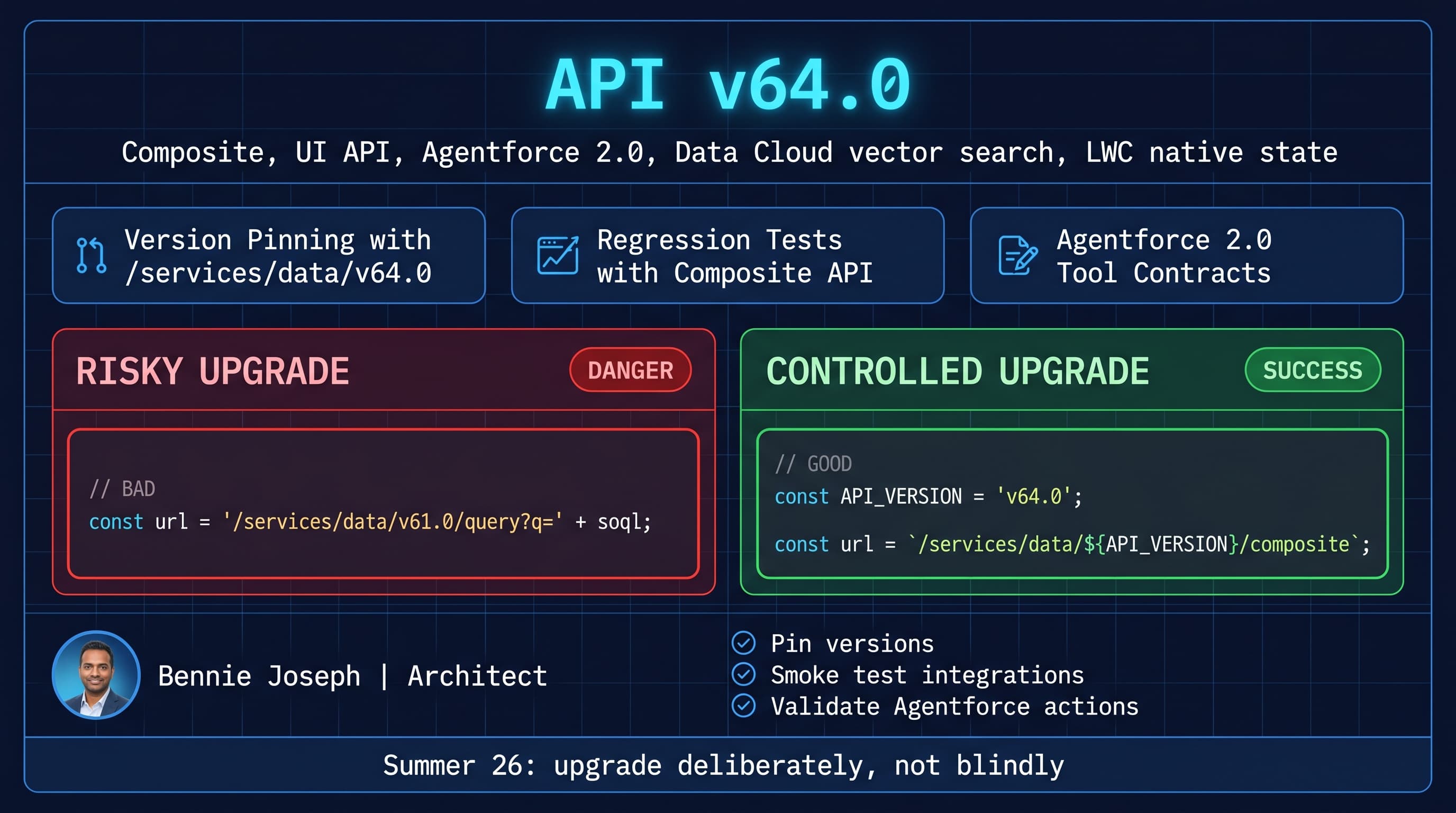
Salesforce API v64.0 is the Summer ’26 contract, and the main thing developers need to know is simple: do not treat an API version bump like a find-and-replace exercise.
I’ve seen enterprise teams upgrade API versions because “Salesforce recommends staying current,” then break middleware, Apex callouts, managed package assumptions, and downstream reporting jobs in the same sprint. That is not modernization. That is gambling with a release note PDF.
This post is my practical take on the salesforce api v64 summer 26 changes that matter for developers: where to upgrade, where to wait, what to test, and how API v64.0 fits with Agentforce 2.0, LWC native state, and Data Cloud’s native vector search.
The Big Shift: API v64.0 Is More Than a Version Number
API v64.0 lands in a different Salesforce world than older API releases.
Summer ’26 is not just “new fields and endpoints.” The platform now has stronger AI and data primitives built into the core stack:
- Agentforce 2.0 with multi-agent orchestration and custom reasoning steps
- Atlas Reasoning Engine v2
- Data Cloud real-time unification
- Native vector search in Data Cloud
- LWC native state management
- Salesforce API v64.0 as the Summer ’26 API contract
That matters because APIs are no longer only feeding CRUD screens and nightly integrations. They are feeding agents, reasoning flows, orchestration layers, analytics, vector retrieval, and customer-facing automations.
Here’s the unpopular take: if your integration architecture still thinks in terms of “sync Accounts and Contacts every night,” you are already behind. API v64.0 should force you to review how your org exposes trusted data to apps, agents, middleware, and humans.
What I Actually Check First in API v64.0 Upgrades
When I walk into an enterprise Salesforce org, I do not start by reading every endpoint diff. I start by finding risk.
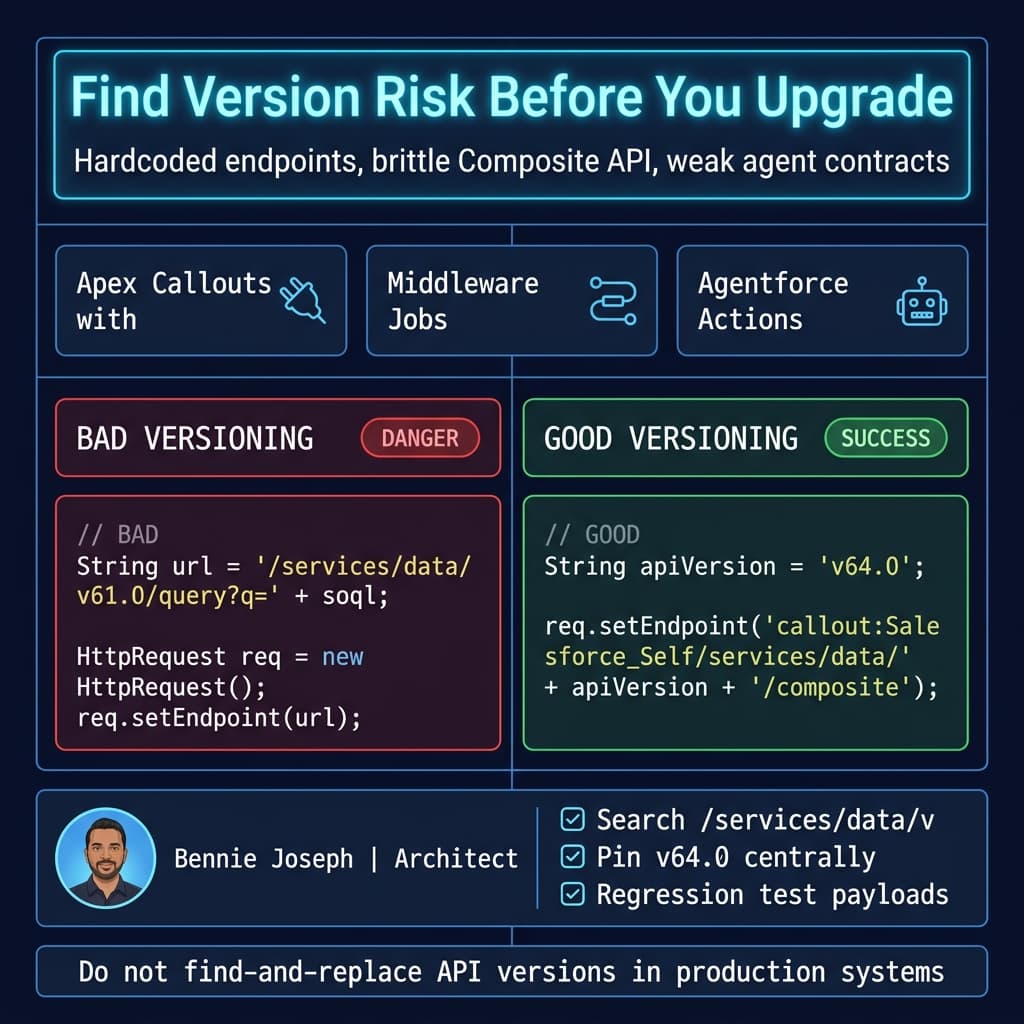
1. Hardcoded API Versions
Search for this pattern everywhere:
/services/data/vLook in:
- Apex callouts
- Named Credential wrappers
- MuleSoft flows
- Boomi processes
- Java/Spring services
- Node.js workers
- Python scripts
- Postman collections
- CI smoke tests
- Data migration tools
- Legacy Visualforce JavaScript
- Embedded partner applications
If you find /services/data/v59.0, /v61.0, or /v62.0, don’t just replace it with /v64.0. First, identify what that integration does and whether it depends on response shape, null behavior, picklist metadata, query behavior, or composite sequencing.
2. Composite API Contracts
Composite API is where bad upgrade habits show up fast.
If your middleware uses Composite API to create Account, Contact, Opportunity, and custom onboarding records in one transaction-like request, API version changes can expose hidden assumptions:
- Reference IDs reused inconsistently
- Partial success handling ignored
- Error payloads parsed with brittle JSON paths
- External IDs assumed to be unique but not enforced
- Validation rule failures hidden by generic exception handlers
API v64.0 is a good excuse to clean this up.
3. Agentforce Tool Boundaries
Agentforce 2.0 changes the development conversation. If your agents call Apex actions, Flow actions, external services, or Data Cloud retrieval, those become API contracts too.
I treat every agent action like a public API:
- Stable input schema
- Stable output schema
- Clear error contract
- Permission-aware execution
- Audit logging
- No hidden side effects
If an Agentforce 2.0 custom reasoning step depends on a Salesforce API response, pin the API version and test it like any other integration.
A Practical API v64.0 Smoke Test
I like smoke tests that prove the basics before developers start touching business logic.
The goal is not to test Salesforce. The goal is to test your org’s assumptions against API v64.0.
This Apex example calls the current org through a Named Credential and runs a Composite API request against /services/data/v64.0/composite.
You need a Named Credential named Salesforce_Self configured for your org with OAuth. In enterprise projects, I normally create this per environment and lock it down with a permission set.
public with sharing class ApiV64SmokeTest {
    public class SmokeResult {
        @AuraEnabled public Integer httpStatus;
        @AuraEnabled public Boolean success;
        @AuraEnabled public String apiVersion;
        @AuraEnabled public String responseBody;
    }

    @AuraEnabled
    public static SmokeResult run() {
        String apiVersion = 'v64.0';

        String soql = 'SELECT Id, Name, LastModifiedDate ' +
            'FROM Account ' +
            'ORDER BY LastModifiedDate DESC ' +
            'LIMIT 1';

        Map<String, Object> compositeBody = new Map<String, Object>{
            'allOrNone' => false,
            'compositeRequest' => new List<Object>{
                new Map<String, Object>{
                    'method' => 'GET',
                    'url' => '/services/data/' + apiVersion + '/limits',
                    'referenceId' => 'orgLimits'
                },
                new Map<String, Object>{
                    'method' => 'GET',
                    'url' => '/services/data/' + apiVersion + '/query?q=' +
                        EncodingUtil.urlEncode(soql, 'UTF-8'),
                    'referenceId' => 'accountProbe'
                }
            }
        };

        HttpRequest req = new HttpRequest();
        req.setEndpoint('callout:Salesforce_Self/services/data/' + apiVersion + '/composite');
        req.setMethod('POST');
        req.setHeader('Content-Type', 'application/json');
        req.setTimeout(20000);
        req.setBody(JSON.serialize(compositeBody));

        Http http = new Http();
        HttpResponse res = http.send(req);

        SmokeResult result = new SmokeResult();
        result.httpStatus = res.getStatusCode();
        result.success = res.getStatusCode() >= 200 && res.getStatusCode() < 300;
        result.apiVersion = apiVersion;
        result.responseBody = res.getBody();

        return result;
    }
}
This is intentionally boring. Boring is good.
A useful smoke test should answer:
- Can this environment authenticate?
- Can it call API v64.0?
- Can Composite API execute expected subrequests?
- Can the running user access the expected objects?
- Is the response shape compatible with your parser?
- Are limits visible and being captured?
In CI, I would not dump the full response body into logs forever. For local upgrade testing, it’s useful. For production-grade pipelines, parse the response and assert the specific fields you care about.
Where API v64.0 Impacts Real Projects
Here’s a real enterprise pattern I’ve dealt with more than once.
A global manufacturing company had Salesforce Sales Cloud, Service Cloud, Experience Cloud, MuleSoft, a Snowflake warehouse, and a customer portal. The org had been upgraded every release, but the integrations were frozen across multiple API versions.
The ugly part:
- MuleSoft used one API version for order sync.
- A Node.js portal backend used another version for case creation.
- A legacy Java batch job queried entitlement data using an older REST path.
- Apex callouts to Salesforce itself used a hardcoded endpoint.
- A newer AI support assistant retrieved customer account context through a custom Apex REST service.
Nothing was “broken,” but nobody could confidently say what would happen if the org standardized on the current API.
The fix was not dramatic. It was disciplined:
- Inventory every API consumer.
- Classify by business criticality.
- Add API version constants instead of scattered strings.
- Build smoke tests for Composite, Query, UI API, and custom Apex REST.
- Upgrade non-critical consumers first.
- Validate payloads with contract tests.
- Move critical integrations after business signoff.
API v64.0 gives teams a clean line in the sand. Use it to remove integration archaeology.
LWC Native State Changes the Front-End Conversation
Summer ’26 LWC native state management is one of the developer-facing changes I care about because it reduces the need for homemade state containers in complex components.
But don’t confuse front-end state with data authority.
LWC native state helps manage UI state cleanly. It does not replace:
- Lightning Data Service
- UI API
- Apex for transactional operations
- Platform events
- Data Cloud for unified profile context
- Agentforce actions for guided automation
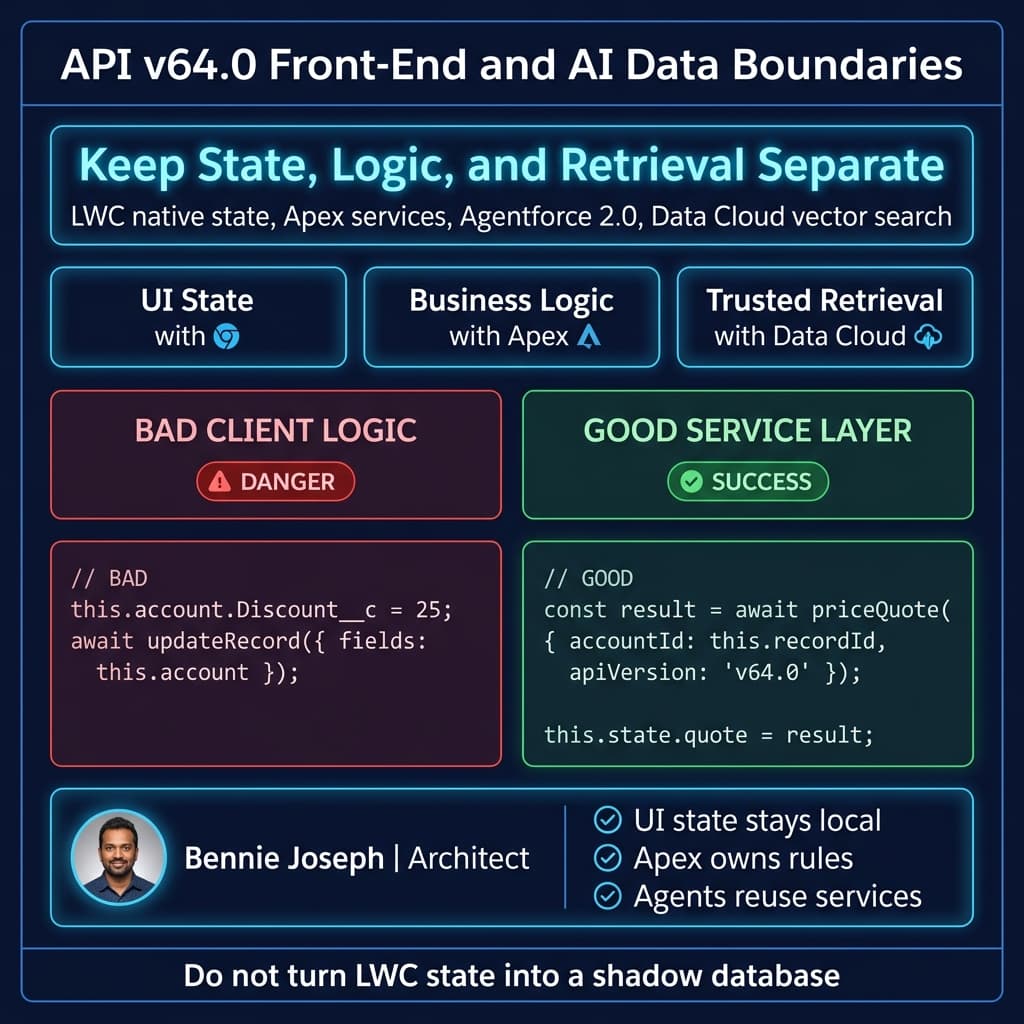
My rule is simple: keep UI state in the UI, keep business state on the platform.
A bad pattern is using client-side state as a shadow database. I’ve seen quote builders, onboarding wizards, and service consoles store too much business logic in browser state. That becomes a nightmare when an Agentforce action, Flow, or external integration needs the same logic.
With API v64.0 and LWC native state, I’d rather see this architecture:
- LWC holds local interaction state.
- Apex service layer owns transaction rules.
- UI API handles metadata-aware reads where appropriate.
- Agentforce 2.0 actions call the same service layer.
- Data Cloud provides unified context and vector retrieval when needed.
That gives you reuse without pretending everything belongs in JavaScript.
Data Cloud and Vector Search: Stop Building Side Databases by Default
Data Cloud’s real-time unification and native vector search are important for API design.
Before native vector search, a lot of teams copied Salesforce data into external vector databases for AI retrieval. Sometimes that was necessary. Sometimes it was just architecture cosplay.
Now I ask a harder question: why are you exporting customer context if Data Cloud can unify and retrieve it natively?
There are still valid reasons to use external AI infrastructure. If I’m building a SaaS product that serves multiple CRMs, or I need local inference with Llama 4 Scout, I may keep parts outside Salesforce. If I’m integrating with Claude Sonnet 4.7, Claude Opus 4.7, GPT-5.5, Gemini 3.1 Pro, or an internal model gateway, I still need strict boundary design.
But for Salesforce-native enterprise work, API v64.0 plus Data Cloud vector search should make you rethink duplicate data stores.
The worst architecture is this:
- Export sensitive customer data.
- Embed it somewhere else.
- Forget sharing rules.
- Forget consent.
- Forget retention.
- Let an AI agent answer from stale context.
That is how teams create security incidents while calling it innovation.
API v64.0 Upgrade Checklist
This is the checklist I’d use before approving an API v64.0 upgrade in a serious org.
Inventory
Document every API consumer:
- Integration name
- Owner
- Runtime
- Current API version
- Authentication method
- Objects touched
- Business process
- Failure impact
- Upgrade target date
No owner means no upgrade. If nobody owns an integration, it is technical debt with credentials.
Centralize Version Constants
External services should not scatter version strings across files.
Use one constant:
export const SALESFORCE_API_VERSION = 'v64.0';

export function salesforceRestPath(path: string): string {
  const normalizedPath = path.startsWith('/') ? path : `/${path}`;
  return `/services/data/${SALESFORCE_API_VERSION}${normalizedPath}`;
}

const queryPath = salesforceRestPath(
  `/query?q=${encodeURIComponent(
    'SELECT Id, Name FROM Account ORDER BY LastModifiedDate DESC LIMIT 10'
  )}`
);

console.log(queryPath);
This looks obvious. It is also one of the most common things missing in enterprise codebases.
Test Response Contracts
Do not only test HTTP 200.
Test:
- Required fields exist
- Nullable fields are handled
- Error payloads are parsed correctly
- Composite subrequest failures are detected
- Pagination is handled
- Query locators are followed
- Permission failures are visible
- Rate limits are logged
If your code parses Salesforce JSON using brittle array positions, fix that before upgrading.
Validate Permissions
API upgrades often expose lazy permission design.
Check:
- Integration user profiles
- Permission sets
- Permission set groups
- Object permissions
- Field-level security
- Named Credential access
- External Credential principals
- Agentforce action permissions
For Agentforce 2.0, this matters even more. An agent should not become a permission bypass because a developer wrapped logic in an invocable method and forgot the execution context.
Watch Custom Apex REST
Custom Apex REST endpoints are easy to forget because they do not always look like standard Salesforce REST API consumers.
Review classes like this:
@RestResource(urlMapping='/customer-context/v1/*')
global with sharing class CustomerContextResource {
    @HttpGet
    global static void getContext() {
        RestRequest req = RestContext.request;
        RestResponse res = RestContext.response;

        String accountId = req.params.get('accountId');

        if (String.isBlank(accountId)) {
            res.statusCode = 400;
            res.responseBody = Blob.valueOf('{"error":"accountId is required"}');
            return;
        }

        Account accountRecord = [
            SELECT Id, Name, Industry, LastModifiedDate
            FROM Account
            WHERE Id = :accountId
            WITH USER_MODE
            LIMIT 1
        ];

        Map<String, Object> payload = new Map<String, Object>{
            'accountId' => accountRecord.Id,
            'name' => accountRecord.Name,
            'industry' => accountRecord.Industry,
            'lastModifiedDate' => accountRecord.LastModifiedDate
        };

        res.statusCode = 200;
        res.addHeader('Content-Type', 'application/json');
        res.responseBody = Blob.valueOf(JSON.serialize(payload));
    }
}
If this endpoint feeds a portal, middleware, or Agentforce custom action, it is part of your API surface. Version it deliberately. Document it. Test it.
My Recommendation
Move to Salesforce API v64.0, but do it with control.
For new development, I would start on v64.0 unless there is a specific package or vendor constraint. For existing integrations, I would upgrade by risk tier, not by enthusiasm.
Start with read-only jobs. Then non-critical writes. Then core transaction flows. Then agent-facing and customer-facing operations.
The biggest mistake is assuming the Salesforce platform upgrade and your integration upgrade are the same thing. They are not. Salesforce can be on Summer ’26 while your integration contract remains pinned to an older API version. That is normal. What is not normal is having no plan to move forward.
API v64.0 is a good forcing function. Use it to clean up versioning, testing, permissions, and agent boundaries.
TL;DR
- Salesforce API v64.0 is the Summer ’26 contract; upgrade deliberately, not with find-and-replace.
- Prioritize Composite API, custom Apex REST, Agentforce 2.0 actions, LWC data boundaries, and Data Cloud retrieval paths.
- Centralize version constants, add smoke tests, validate permissions, and treat every integration as a contract.